
NAS and SAN: file-level and block-level shared storage
NAS serves files and SAN serves blocks: protocols, who owns the filesystem, and the risks.
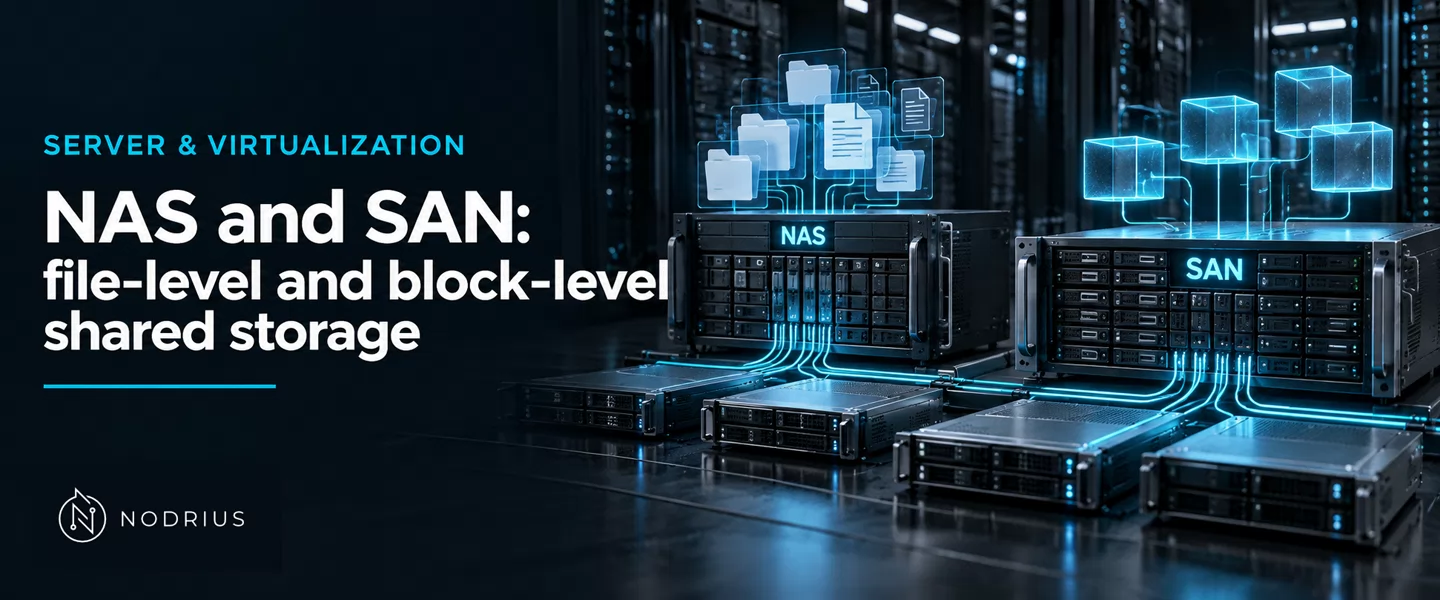
Shared storage comes in two shapes, and the difference is not the cable but who owns the filesystem. A NAS (network attached storage) owns a filesystem and serves it as files over a file protocol such as NFS or SMB. A SAN (storage area network) serves raw blocks: the array presents a logical unit — a LUN — and the client’s own operating system puts a filesystem on it. With NAS the storage side owns the filesystem and the locks; with SAN the client does, and nothing on the storage side coordinates two clients that mount the same block device.
Who owns the filesystem
The three access models and the metadata question are the sibling sheet’s subject, Block, file and object storage; here the subject is how storage is shared.
              NAS — file level                        SAN — block level
              ────────────────                        ─────────────────
  client     application                               application
               │ NFS / SMB (files, paths)               │ filesystem  ← the client owns it
               ▼                                        ▼
  network    Ethernet / TCP                            iSCSI: SCSI over TCP   (or Fibre Channel)
               │  asks for a file, by path              │  reads and writes blocks
               ▼                                        ▼
  storage    NAS server: filesystem + export          array: a LUN (a block device)
             ← the storage side owns the filesystem   ← the array owns blocks, not files
The SNIA Dictionary defines a NAS as a “storage device that connects to a network and provides file access services to clients”, built from “an engine that implements file services and one or more storage devices” and serving them “using file access protocols such as NFS and SMB”.
A SAN is a network “whose primary purpose is the transfer of data between computer systems and storage devices and among storage devices”, and the term is “identified with block I/O services rather than file access services”. What it exports is a block device — “A virtual disk is the object presented to the host level for user data storage” — and every layer above it belongs to the client.
The protocols: NFS, SMB and iSCSI
Two of the three are file protocols. NFS is the Unix-side one: in NFSv4.1 the client is “the entity that accesses the NFS server’s resources” and the server “the entity responsible for coordinating client access to a set of file systems”, where a file system is “the collection of objects on a server”. In version 4.1 “file systems exported by a server are presented as a tree” from a single root, so lookup replaces the old separate MOUNT protocol.
SMB is the Windows-side file protocol; the Microsoft specification for versions 2 and 3 states that they “support the sharing of file and print resources between machines” — revision 88.0, dated 28 September 2026. From the client’s side the two look alike: open, lock, read and write.
iSCSI is not a file protocol. RFC 7143 “describes a transport protocol for SCSI that works on top of TCP”: it carries SCSI, and “SCSI is a client-server architecture”, where the initiator sends commands to the logical units of a device called the target. “A target can contain multiple LUs. Each LU has an address within a target called a Logical Unit Number (LUN)” — the block device the host sees. The iSCSI layer relays messages over TCP between initiator and target. Fibre Channel carries the same SCSI model over a different fabric.
File-level sharing: the server keeps the locks
Because the NAS owns the filesystem, it is the single authority for who may open what and who holds which lock. NFSv4.1 defines a lease: “an interval of time defined by the server for which the client is irrevocably granted locks”; the client “maintains a set of locks on behalf of one or more applications” and is “responsible for crash or failure recovery for those locks it manages”. SMB servers arbitrate opens, locks and share modes the same way, and permissions are decided by the server-side filesystem.
That arbitration is the point of a NAS: many clients, one arbiter, all clients of the same authority.
Block-level sharing: one writer per filesystem
A SAN has no such arbiter. The client owns the filesystem, so the array knows only that some initiator reads and writes blocks. Two hosts given the same LUN, each mounting a filesystem on it read-write, do not coordinate: each caches metadata the other is changing, and the filesystem is corrupted. The rule is one writer per filesystem — one host at a time, or a cluster that runs its own lock service, as a cluster filesystem or shared volume manager does.
The array’s controls settle access, not coordination: a Fibre Channel fabric is divided by zoning — “A method of subdividing a storage area network into disjoint zones” — and nodes outside a zone are “invisible to nodes within the zone”. That decides who can see the LUN, not whether two writers corrupt it. Proxmox VE says the same of a shared volume manager: “Some storage operation need exclusive access to the storage, so proper locking is required”, and that locking “does not work between different clusters”.
When a path or a server fails
Both models make the network and the storage server a dependency of every client: if a NAS server or its link disappears, every client loses the filesystem at once. On a SAN the same loss takes away the block device, possibly mid-write.
Two failure modes are characteristic. On the file side, the lease: “At the end of a lease period, locks may be revoked if the lease has not been extended”, and a lock “must be revoked if a conflicting lock has been granted after the lease interval”. A merely slow client can fail to renew while still believing it holds a lock the server has handed to someone else. On the block side, the path: one route from host to LUN is a single point of failure, so production deployments run several and rely on multipathing — “usually a requirement in these scenarios” — and must recognise that two paths lead to the same LUN.
The error to avoid: a SAN does not give you a shared filesystem. A LUN is a block device, and sharing it needs a filesystem written to be shared, running on every host.
Level and prerequisites
L3 — design-level: ownership, protocols and failure modes: what each model implies for who holds the filesystem and the locks, and where the points of failure sit.
Prerequisites: filesystems and mounts (Mounts and filesystems), the local storage stack (Local storage and volumes), and Windows shares — L2 and L1 sheets of this area. The sibling L3 sheet Block, file and object storage supplies the three access models; RAID, snapshots and backup are separate sheets.
Where to go next
- Server & Virtualization — the area this sheet belongs to; its Storage node is storage.
- The sibling sheet Block, file and object storage — the three access models, one step back.
- The other storage sheets in this batch: RAID and backup, snapshots, replication, retention.
- Beyond L3: multipath tuning, cluster filesystems, storage quality of service, live migration over shared storage.
References
- SNIA — The SNIA Dictionary — https://www.snia.org/dictionary
- SNIA — Common RAID Disk Data Format (DDF) Specification, Version 2.0 rev 19 — URL not recorded in this batch
- IETF — RFC 7143, Internet Small Computer System Interface (iSCSI) Protocol (Consolidated) — https://www.rfc-editor.org/rfc/rfc7143.txt
- IETF — RFC 8881, Network File System (NFS) Version 4 Minor Version 1 Protocol — https://www.rfc-editor.org/rfc/rfc8881.txt
- Microsoft — [MS-SMB2]: Server Message Block (SMB) Protocol Versions 2 and 3 — https://learn.microsoft.com/en-us/openspecs/windows_protocols/ms-smb2/5606ad47-5ee0-437a-817e-70c366052962
- Microsoft — iSCSI Target Server overview — https://learn.microsoft.com/en-us/windows-server/storage/iscsi/iscsi-target-server
- Proxmox — Storage (Proxmox VE wiki) — https://pve.proxmox.com/wiki/Storage