
Live migration and its prerequisites
Moving a running VM: what must be shared, what must be measured, when it stops being live.
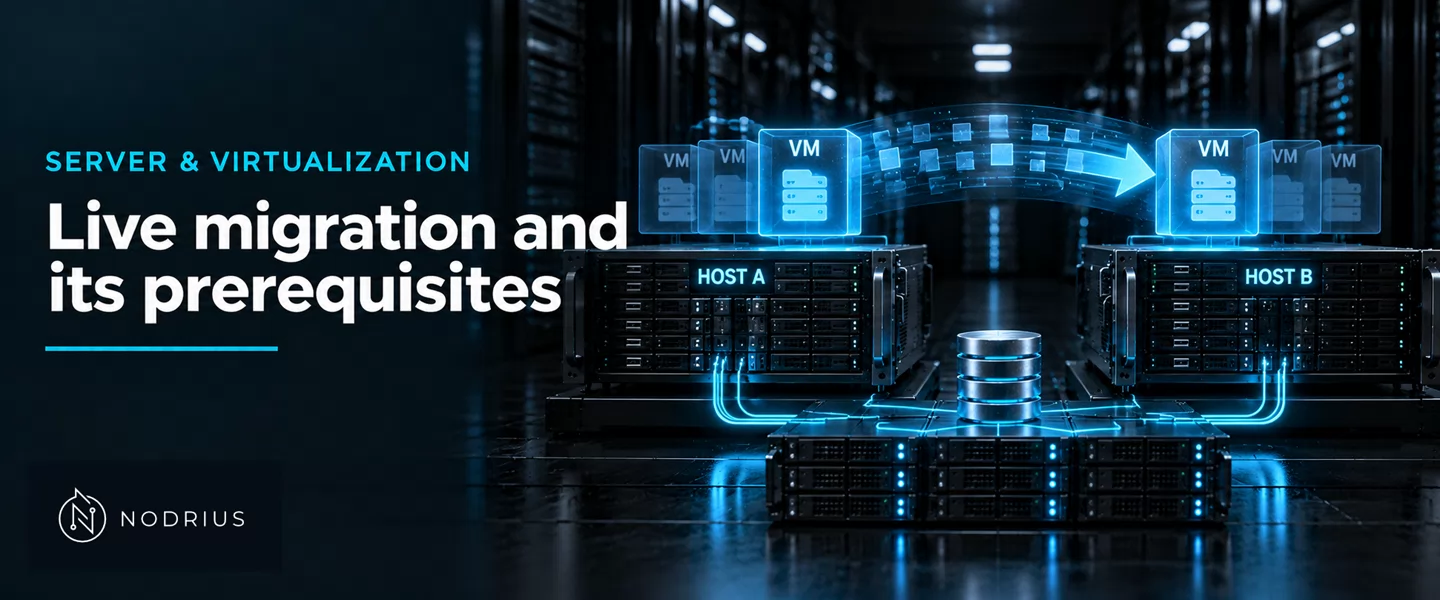
Live migration moves a running guest from one hypervisor host to another while the guest keeps working. Hyper-V defines it as the ability to “transparently move running Virtual Machines from one Hyper-V host to another without perceived downtime”; libvirt and QEMU do the same by copying the execution state — above all the memory — over the network and restarting the guest on the second host. Everything rests on what can stay where it is, and on how small the remaining difference can be made.
   SOURCE host                                    DESTINATION host
   -----------                                    ----------------
   (1) prepare: a new QEMU process starts on the
       destination with the incoming flag; its vCPUs
       stay paused, waiting for the stream
       guest RUNNING
          |
   (2) bulk copy: the source sends the guest
       memory, page by page            ------------>  memory written
          |
   (3) dirty passes: pages the guest changed
       since the last pass are marked dirty
       and sent again, pass after pass
          |                                              |
          +------ loop until the delta is small ---------+
          |
   (4) stop-and-copy: source vCPUs are paused, the
       last pages and the device state are sent
          |
   (5) resume: destination vCPUs are unpaused; the
       guest keeps running, now on the destination
What must be true before the move
Live migration assumes the destination can rebuild the guest’s devices from the same definition, so the pair of hosts is not arbitrary. Proxmox VE states the working set: “The hosts have CPUs from the same vendor with similar capabilities”, “The target host must have the same, or higher versions of the Proxmox VE packages”, and a “working (and reliable) network connection between them”. CPU state cannot cross instruction sets: “Live migration is only possible between nodes of the same architecture, because a running guest’s CPU state cannot be transferred across architectures.”
The disks decide the shape of the operation: if both hosts see the same storage, only memory and device state move; if not, the disks travel too. What a datastore must guarantee is its own sheet; here it matters only that the disks are shared or copied.
The control path is a separate choice. With libvirt the client can drive both daemons, or hand the operation to the source: “the libvirt client process only talks to the libvirtd daemon on the source host. The source libvirtd daemon controls the entire migration process itself”. The destination is named by a URI — “The second URI is that of the libvirt connection to the destination host, where the virtual guest will be moved to”.
Copying memory while the guest keeps writing
The transfer is iterative because the guest keeps touching memory while it is copied. On the destination, “Online migration first starts a new QEMU process on the target host with the incoming flag”, its vCPUs paused; “All other resources, such as disks, are either shared or got already sent before runtime state migration of the VMs begins”. Then the memory moves in passes: “If the guest memory on the source changes, those sections are marked dirty and another pass is made to send the guest memory data.” QEMU calls RAM an iterative device — “There are also iterative devices, which contain a very large amount of data (e.g. RAM or large tables)” — and each pass sends “a chunk of data until the point that stream bandwidth limits tell it to stop”.
Every pass re-sends only what changed, so the outstanding set shrinks if the guest dirties memory more slowly than the link can carry it. The loop closes when “the data difference between running source VM and incoming target VM is small enough to be sent in a few milliseconds”.
The stop, and the downtime number
Live migration is not downtime-free; it is downtime-shortened. The final step is the same everywhere: “Live migration allows the guest to continue running while the state is transferred. Only while the last part of the state is transferred has the guest to be stopped.” Then “the source VM can be paused completely, without a user or program noticing the pause”, the remainder is sent, and the destination CPUs are unpaused.
The downtime is therefore a declared number. QEMU gives it — “Typically the time that the guest is unresponsive during live migration is the low hundred of milliseconds” — then qualifies it: “(notice that this depends on a lot of things)”. Proxmox aims lower, a delta “small enough to be sent in a few milliseconds” and a switchover “in well under a second”. The declaration belongs to the mechanism; the figure observed is a measurement, moving with memory size and dirty rate.
When the disks are not shared
If the disks are not visible to both hosts, storage moves as part of the migration. libvirt folds it into the same flow: “In case when one or more of the images are residing on local storage libvirt can migrate them as part of the migration flow”, enabled with --copy-storage-all. At the block layer QEMU exposes an active mirror: drive-mirror and its newer equivalent blockdev-mirror “Synchronize a running disk image chain (all or part of it) to a target image”. The mirror runs while the guest keeps writing; when source and target reach synchronization the guest is pivoted to the new image.
QEMU names the setup: “Live storage migration (without shared storage setup) is one of the most common use-cases that takes advantage of the drive-mirror primitive and QEMU’s built-in Network Block Device (NBD) server”. The disks are copied too, so the operation is bounded by disk size and disk write rate, not by memory alone. The datastore itself is treated in the storage sheets; here it only decides whether the disks travel.
When it stops being live
Two conditions strip the live label. The first is a resource bound to the source host: “The VM has no local resources that cannot be migrated. For example, PCI or USB devices that are passed through currently block live-migration.” A device handed straight to the guest is a physical thing on one machine, referenced by the guest state, so the running guest cannot move; the workload is stopped and migrated offline.
The second is convergence. The pre-copy loop finishes only when the writes fall behind the copy, and a workload that, as libvirt puts it, “dirty memory pages quickly” — faster than the link can carry them — never reaches the small final delta. The responses are a faster link, a smaller copy, or accepting that the guest is not a live-migration candidate. Live migration is a capability with prerequisites, not a property of every guest.
Level and prerequisites
L4 — prerequisites, transfer mechanism and the limits of the operation: it states what live migration needs from CPU, network and storage, explains the memory-transfer loop and its convergence, and names where the operation stops being live, without designing the cluster or the placement. Prerequisites are the L3 sheets on hosts, VMs, vCPU/vRAM and virtual devices, and on bridge, vSwitch and virtual networks. The datastore questions and the placement rules are their own L4 sheets, as are the cluster and quorum decision, the high-availability restart policy and the capacity check before draining a host.
Where to go next
- Knowledge — the index.
- Server and virtualization — the area this sheet belongs to.
- Virtualization and networking — this sheet’s node.
- Companion sheets, still in draft: local and shared storage for virtualization; shared and distributed storage; affinity, anti-affinity and scheduling; clusters and quorum; high availability and failure handling; capacity planning and host maintenance.
References
- libvirt — Guest migration — https://libvirt.org/migration.html — the peer-to-peer control path, the migration URIs, the security of the data stream, the migration of non-shared images, and the post-copy flag.
- QEMU — Migration framework — https://www.qemu.org/docs/master/devel/migration/main.html — live migration as a copy of a running state, RAM as an iterative device, the bandwidth-limited pass, and the declared downtime.
- QEMU — Live Block Device Operations — https://www.qemu.org/docs/master/interop/live-block-operations.html —
drive-mirror/blockdev-mirrorand live storage migration over NBD. - Microsoft — Live Migration Overview — https://learn.microsoft.com/en-us/windows-server/virtualization/hyper-v/manage/live-migration-overview — live migration moving a running VM without perceived downtime, and the Windows Server 2016 removal of the Failover Clustering requirement.
- Proxmox VE — Proxmox VE Administration Guide — https://pve.proxmox.com/pve-docs/pve-admin-guide.html — the online-migration steps, the dirty-page loop and its convergence, the downtime target, and the stated requirements.