
vNIC, bridge and vSwitch: virtual networks on a host
How a virtual machine gets a NIC, and how a host bridge or switch puts it on a network.
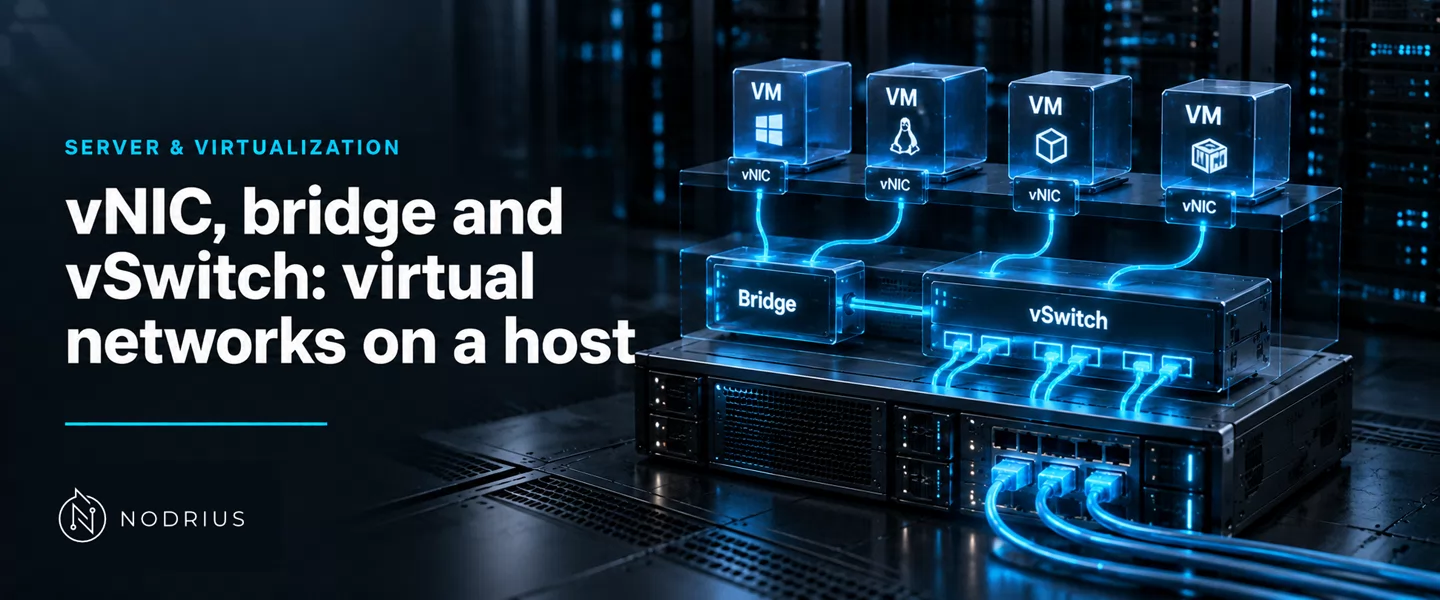
A virtual machine never touches the wire directly. The hypervisor gives it a vNIC — a synthetic network interface presented inside the guest — and attaches it, through a port, to a bridge or virtual switch the host runs in software. That switch follows hardware rules: it learns which MAC (Media Access Control) address is reachable on which port, and forwards each frame to the port where that address was last seen. A guest’s reach — the LAN, the host, or only its neighbours — depends on which switch its vNIC is attached to, and on what that switch connects to.
The model: a synthetic NIC plugged into a switch in software
   guest (VM)                   host (hypervisor / OS)                  wire
   ┌────────────────────┐
   │ app                │
   │  └─ kernel network │
   │      └─ vNIC       │   synthetic interface: MAC chosen by the host,
   └─────────┬──────────┘   paravirtualised (virtio) or emulated driver
             │  frames in and out
         tap / vnetN             one switch port per vNIC
             │
   ┌─────────┴─────────────────────────────────────────────────┐
   │            bridge  ·  vSwitch   (Layer 2, in software)     │
   │   learns source MAC  ->  forwarding table (FDB)            │
   │   forwards by destination MAC; floods unknown / broadcast  │
   └───────┬─────────────────────────────────┬─────────────────┘
           │ host IP on the bridge           │ uplink
           │ (the host is one more port)     ▼
           │                        physical NIC -> LAN switch
The chain runs one way at a time. Outbound, the guest hands a frame to its vNIC; the host’s switch receives it on the port that stands for that vNIC and forwards it by destination MAC — to a guest, to the host, or out the uplink. Inbound, an uplink frame is switched the same way: the switch knows only the port where a MAC was last heard. And on a Linux bridge the host usually holds an IP address on the bridge itself: it is one more port on the same switch.
A vNIC is a synthetic interface the host provides
A guest never sees the host’s physical card. It sees vNICs: interfaces the hypervisor invents and backs with a driver — paravirtualised (virtio) or emulated — each with a MAC address the host assigns, each belonging to exactly one virtual machine. The switch, by contrast, belongs to the host and is shared.
On the host side the vNIC ends in a switch port: a tap (or tun) device on Linux, conventionally vnetN; a port on the virtual switch on Windows. It is the guest’s end of a cable that does not exist; what the guest does with the network reaches the world only if the far end is plugged into a switch that is itself connected.
The bridge: switching at Layer 2, by MAC address
The rule is the standard’s. The Linux kernel documentation records that “The IEEE 802.1Q-2022 (Bridges and Bridged Networks) standard defines the operation of bridges in computer networks”, and that “A bridge, in the context of this standard, is a device that connects two or more network segments and operates at the data link layer (Layer 2) of the OSI (Open Systems Interconnection) model.” Its purpose is “to filter and forward frames between different segments based on the destination MAC (Media Access Control) address.”
A Linux bridge is that device in software: created as a link of its own, members added by pointing each interface at it as master.
ip link add br0 type bridge
ip link set eno1 master br0
ip link set vnet0 master br0
The mechanism is the switch’s. Learn: each source MAC is recorded with the port it arrived on. Store: those records form the forwarding database (FDB) — the table a hardware switch keeps. Forward: a known destination goes out only its port. Flood: an unknown destination or a broadcast goes out every port but the one it came from. Age out: silence expires an entry — the default FDB ageing time is 300 seconds, after which “entries are cleaned up”. STP: Spanning Tree can guard against loops, ports in “blocking, learning, forwarding”.
Windows names the function differently: “Hyper-V Virtual Switch is a software-based layer-2 Ethernet network switch”, and “a VM has a virtual NIC that is connected to the Hyper-V Virtual Switch through a switch port.” Hyper-V carries Ethernet only.
Who may talk to whom: external, internal, private
The design question is not what a switch is but who may reach whom. Hyper-V answers with three types: an external switch binds to a physical adapter and reaches the wired network; an internal switch reaches the VMs on that host and the host itself; a private switch reaches only the VMs on that host, not the host. libvirt answers the same question in the network it defines: bridge mode attaches guests to an existing host bridge, on the physical LAN; nat forwards through the host’s IP stack with translation; route forwards without it; and with no <forward> element the network “will be isolated from any other network”.
Proxmox states the platform-level version: “Proxmox VE uses a bridged networking model”, and a Linux bridge “can be thought of as a virtual switch which the guests and physical interfaces are connected to.” The choices map onto one another:
| Question | Hyper-V | libvirt |
|---|---|---|
| On the physical LAN | external switch | forward mode='bridge' (existing host bridge) |
| Host and guests only | internal switch | — |
| Guests only, no host | private switch | no <forward> (isolated) |
| Outbound via the host IP | — | forward mode='nat' |
| Routed, no translation | — | forward mode='route' |
What the bridge changes, and the traps that follow
Attaching a vNIC to a host bridge does one specific thing: it puts the guest in the same broadcast domain as the bridge’s other ports — the host and, through the uplink, the LAN. Proxmox describes the result exactly: the network “sees each virtual machine as having its own MAC, even though there is only one network cable connecting all of these VMs to the network.” Convenient, and the source of the usual mistakes.
- The bridge on the wrong interface. Enslaving the management NIC to a bridge moves the host’s address onto the bridge; misconfigured, the host can become unreachable. Confirm the address before moving production traffic.
- A vNIC with no bridge. A vNIC that belongs to no switch reaches nothing, however correct the guest’s addressing looks: a link and no route.
- Host and guests share the uplink. All appear, as separate MAC addresses, behind one physical port — which matters if upstream limits how many MACs a port may present, or if the uplink saturates or fails.
- A bridge is not a firewall. It works by destination MAC, not policy, so it separates nothing on the bridge. The controls that do — port ACLs, VLANs, filter rules — sit above it; a Hyper-V switch offers “Port ACLs” that filter by MAC or IP.
Level and prerequisites
L3 — integrating host networking, not deep switching: this sheet assembles the host-side picture — how a guest receives an interface and how it is placed on a network — rather than teaching Layer-2 switching in depth.
It presupposes the platform sheets underneath it: bare metal, OS, hypervisor and workload; hosts, VMs and virtual devices; the NIC and physical links the uplink replaces. VLANs, IEEE 802.1Q tagging and access versus trunk ports belong to another area, named here and not developed.
Where to go next
The Layer-2 mechanics a bridge shares with hardware switches — MAC learning, the address table, loop prevention — are the Networking area’s switching sheets, as are the 802.1Q tag and the access and trunk ports. Above this sheet sit link aggregation and bonding and, in the advanced tier, SR-IOV, distributed switching and overlay networks.
References
- Linux kernel documentation — Ethernet Bridging — https://www.kernel.org/doc/html/latest/networking/bridge.html
- man7.org — ip-link(8) — Linux manual page — https://man7.org/linux/man-pages/man8/ip-link.8.html
- Microsoft Learn — Hyper-V Virtual Switch — https://learn.microsoft.com/en-us/windows-server/virtualization/hyper-v/virtual-switch
- Microsoft Learn — Plan for Hyper-V networking in Windows Server — https://learn.microsoft.com/en-us/windows-server/virtualization/hyper-v/plan/plan-hyper-v-networking-in-windows-server
- libvirt — Network XML format — https://libvirt.org/formatnetwork.html
- libvirt — Domain XML format — https://libvirt.org/formatdomain.html
- Proxmox VE — Administration Guide — https://pve.proxmox.com/pve-docs/pve-admin-guide.html