
Automating the CLI: sessions, prompts and credentials that must not leak
Over SSH a CLI is text: why its output is untrusted and where the credential lives.
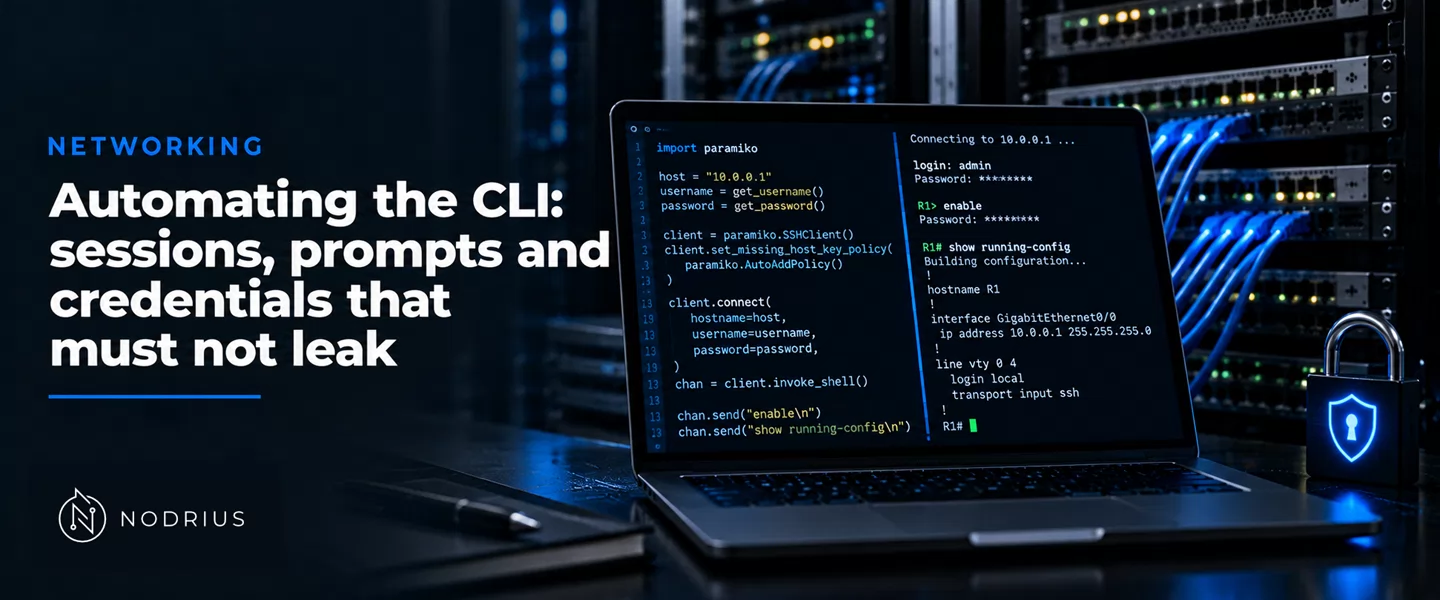
Essential answer. An automated CLI session is an SSH session that runs commands on a device and reads the replies as text; the protocol gives an encrypted channel, a server identity and an authenticated user, but no stable interface, no transaction, and nowhere to keep a password. Three things must be decided: what the session is, why the device’s output is untrusted input, and where the credential lives.
What the session actually is
The CLI remains the fallback because it reaches what a modelled interface does not: every command, every platform, modelled or not. SSH proves the server with its host key: the client “must have a priori knowledge of the server’s public host key”, and one that accepts an unknown key “becomes vulnerable to active man-in-the-middle attacks” (rfc4251.txt lines 213–216, 249–250).
Authentication is then driven by the server, which “drives the authentication by telling the client which authentication methods can be used”; identity is proved by a private key — “the possession of a private key serves as authentication” (rfc4252.txt lines 177, 439–440) — or by a password.
The connection layer opens a channel of type “session” and asks for one of three things: a shell, a command, or a subsystem. “Only one of these requests can succeed per channel” (rfc4254.txt lines 683–684): the automation asks for the command or the subsystem and reserves the shell for devices that expose nothing else.
   automation  --->  transport: encrypted channel, server proved by its host key
                       |
                       +--> user authentication: key or password, methods chosen by the server
                              |
                              +--> connection: one channel of type "session"
                                     |
                                     +--> "shell" / "exec" / "subsystem" (only one)
                                            |
                                            +--> channel data in and out: prompts, echo,
                                                 banners and pagination all travel here
The device’s text is the interface, and it is still input
“Screen-scraping” is the honest name: automation “to screen-scraping devices is primarily concerned with gathering output from show commands and with making configuration changes” (netmiko-readme.md line 23). The device still answers in text, which is not a contract.
It is preceded by text you did not ask for: “The server MAY send other lines of data” before its version string, and “Clients MUST be able to process such lines” (rfc4253.txt lines 242–246).
It also arrives in pieces: a shell running a command prepends its start-up output, so the protocol advises a subsystem protocol carry a “magic cookie” at the start “to distinguish it from arbitrary output generated by shell initialization scripts” (rfc4254.txt lines 711–719).
And it can carry control characters — a client “SHOULD replace any control characters (except tab, carriage return, and newline) with safe sequences to avoid attacks by sending terminal control characters” (rfc4251.txt lines 743–746) — while a clean exit is not a verified change: “A zero ‘exit_status’ usually means that the command terminated successfully” (rfc4254.txt lines 824–825). Terminated, not applied.
Credentials: what to store, and where
The first rule is negative: no secret in the repository, the playbook, or an inventory file. The shape you must not commit is the shape the tooling prints — a Netmiko device dictionary carries "password" and "secret" beside the host (netmiko-readme.md lines 101–108).
A vault is where the secret does live: encrypted content “always includes the !vault tag, which tells Ansible and YAML that the content needs to be decrypted” (ansible-vault_encrypting_content.txt line 21); file-level encryption can be rotated with rekey, variable-level cannot — “You cannot rekey encrypted variables” (line 54) — and a secret typed at the command line “leaves the secret string in your shell history” (line 104).
A key is the better default: “publickey” is the only REQUIRED method, and without confidentiality “password authentication SHOULD be disabled” (rfc4252.txt lines 262–265, 581–583).
Two decisions belong to the account: one account per function, so a change is attributable to a script and not a shared login (the logging sheet owns that record); privileges that stop where the automation’s do, since the privileged-mode "secret" is the ability to change the running configuration; and rotation on the key-management vocabulary — “If a key is compromised, its cryptoperiod shall no longer be considered valid” (nist-sp800-57pt1r5.txt lines 2287–2288) — with “Throttling is the primary defense against online attacks” (nist-sp800-63b-4.txt line 4542).
How it fails
Two failures get blamed on the device and are not. Its output is input: a banner or a description field can carry a string a careless automation re-sends as a command.
And the host running the automation is not neutral. “If the client has been compromised, and the server fails to stop the attacker at the authentication protocol, all services exposed (either as subsystems or through forwarding) will be vulnerable to attack” (rfc4251.txt lines 1304–1306): it holds the private key and the vault password and reaches every device. Symmetrically, if the server is compromised, “systems accessed on the host are compromised” (lines 1299–1301). A host key that changed without explanation is a signal, and the protocol recommends disabling “all the potentially dangerous features (e.g., agent forwarding, X11 forwarding, and TCP/IP forwarding)” until it is understood (rfc4254.txt lines 1170–1173).
Level and prerequisites
L5 — architecting the workflow. The sheet assumes the L1–L3 vocabulary of SSH and device configuration, and re-teaches neither: the server-side mechanics of SSH belong to the sibling ssh and remote administration sheet, and the model-driven interfaces that replace the CLI — NETCONF run as an SSH subsystem — to the device interfaces sheet. Here the subject is the automation session towards the device: what it asks the protocol for, why its output is untrusted, and the credential it uses.
Where to go next
References
- RFC 4251 — The Secure Shell (SSH) Protocol Architecture (Ylonen, Lonvick, January 2006): the three components; the host key and first-contact trust; control-character filtering; end-point security for a compromised client or server.
- RFC 4252 — The Secure Shell (SSH) Authentication Protocol (January 2006): the server-driven method negotiation; the required and optional method names; password authentication and the transport it depends on.
- RFC 4253 — The Secure Shell (SSH) Transport Layer Protocol (January 2006): the data lines a server may send before its version string.
- RFC 4254 — The Secure Shell (SSH) Connection Protocol (January 2006): the session channel; shell, exec and subsystem; the magic cookie; the exit status; the recommendation to disable forwarding after an unexplained host-key change.
- RFC 6242 — Using the NETCONF Protocol over Secure Shell (SSH) (Wasserman, June 2011): invoking a modelled protocol as an SSH subsystem as an alternative to recognising shell prompts.
- Netmiko — project README (Kirk Byers): the screen-scraping framing of CLI automation and an example device dictionary.
- Ansible Community Documentation — Encrypting content with Ansible Vault: the
!vaulttag, file-level and variable-level encryption, rekeying, and the command-line disclosure warning. - NIST SP 800-57 Part 1 Rev. 5 — Recommendation for Key Management: Part 1 – General (May 2020): the cryptoperiod and the handling of a compromised key.
- NIST SP 800-63B-4 — Digital Identity Guidelines: Authentication and Authenticator Management (July 2025): resistant password storage and rate limiting.