
The DMZ and service networks: what sits outside the boundary
A DMZ does not make a service safe; it adds a second boundary before the inside network.
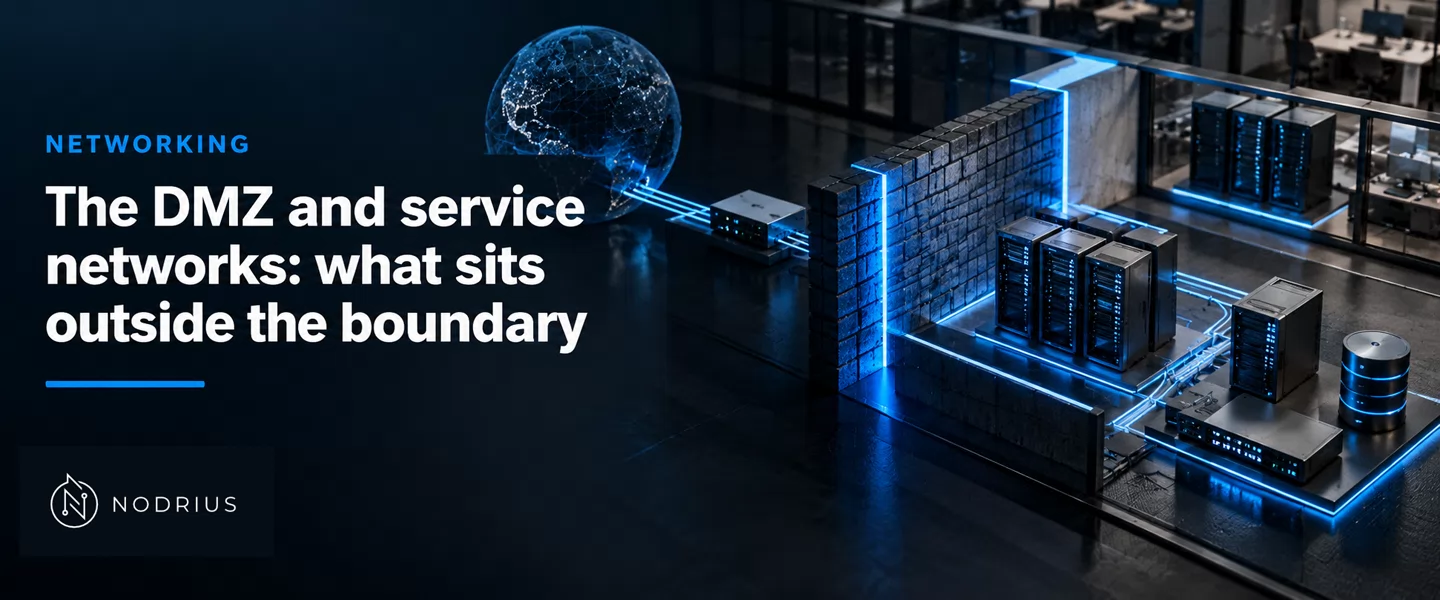
A DMZ (demilitarized zone) is a network segment placed between an untrusted network and the protected internal one. It is a zone, not a device: the services it hosts are reachable from the untrusted side, while traffic between the DMZ and the internal network still crosses a firewall. Placing an exposed service there gives the network two boundaries instead of one — an outer boundary between the untrusted network and the DMZ, and an inner boundary between the DMZ and the internal network. A service that people outside must reach sits outside the inner boundary; anything only internal users need stays inside it. The DMZ is one case of the broader service network: a segment whose population is services, not users.
The mental model
        untrusted network                 DMZ                       protected network
       (internet, partners)         (services only)              (users, data, management)

   any host ────┤ outer boundary ├──── web · mail · DNS ─────┤ inner boundary ├──── internal hosts
                │   firewall      │      reverse proxy         │   firewall     │
                └─────────────────┘                            └────────────────┘

   reach a published service:   untrusted ─────────────▶ DMZ            one decision
   reach the internal network:  untrusted ───▶ DMZ ───▶ inside           a second, separate decision
The one idea: exposure ends at the DMZ. Reaching a published service is not reaching the inside, because a second boundary stands between them.
Terminology
- DMZ (demilitarized zone) — a segment between an untrusted network and the protected network, holding the services that must be reachable from the untrusted side; traffic to and from the internal network still crosses a firewall.
- Service network — a segment whose hosts are services rather than users; the DMZ is the service network that faces the untrusted side.
- Boundary — the enforcement point between two zones: here the outer boundary (untrusted ↔ DMZ) and the inner boundary (DMZ ↔ protected).
- Bastion / exposed host — a host that is deliberately exposed, so it is the one that must be hardened and monitored the most.
- Reverse proxy — a service that accepts a connection on behalf of an internal server and forwards it, so that server is never directly reachable.
- Screened subnet — the common name for a DMZ built with two firewalls, one per boundary.
Why a reachable service needs its own zone
If a service must be reachable from the internet or a partner network, it is also attackable from there: reachability is exposure. The real choice is not whether it can be attacked but where the attack lands. Put an exposed service straight onto a protected host and the protected network keeps a single boundary, so anything that compromises that host starts inside it.
A DMZ keeps the service reachable and moves the failure outward: the compromise lands in a zone with no user data, no directory and no management plane, and the attacker still faces a firewall before reaching any of them.
What goes in the DMZ and what stays inside
NIST SP 800-41r1 puts the common case plainly: “It is common to put public-facing servers, such as web and email servers, on the DMZ.” It then states the placement decision as a review question for the perimeter firewall: “consider which outward-facing services should be run from the DMZ and which should remain on the inside network.”
| Service | Usual placement | Why |
|---|---|---|
| Web front end / reverse proxy | DMZ | must accept connections from outsiders; a proxy keeps the internal server unreachable |
| Mail relay (MTA) | DMZ | accepts mail from any sender; the internal mailbox store stays inside |
| Public authoritative DNS | DMZ | answers queries from anyone; internal name resolution stays inside |
| Remote-access / VPN concentrator | DMZ | terminates untrusted sessions; releases only authenticated traffic inward |
| Database, directory, internal applications, management plane | Inside | never needs a direct connection from outsiders |
| File shares, backups, admin interfaces | Inside | internal tooling; exposing it multiplies the entry points |
The two boundaries
A firewall with a DMZ interface does not open a hole: it routes traffic from the untrusted network either to the DMZ or to the inside, and traffic between the DMZ and the protected network “still goes through the firewall and can have firewall protection policies applied”. That keeps the outer and the inner decision separate.
The two boundaries can be two interfaces on one firewall, or two separate firewalls. SP 800-41r1 draws the first; for the second it notes that “putting one firewall behind another may lead to a desired security goal”, but adds that “in general such multiple layers of firewalls can be troublesome”. The rule that survives both shapes is what defines a DMZ: whatever the device count, the path from the DMZ to the inside has to pass an enforcement point.
Service networks beyond the internet edge
Not every service network faces the internet. In operational technology, NIST SP 800-82r3 describes a DMZ as “an enforcement boundary between network segments” and requires that communications between the enterprise and operations levels “go through services within the DMZ”. Its three-tier IIoT model calls the segment that connects the platform and enterprise tiers a “service network” — the same idea, used away from the perimeter.
Limits and common errors
- A DMZ with one boundary is not a DMZ. If the services sit on a protected subnet reachable directly from outside, there is only one boundary and no separate failure zone.
- Address translation can silently bypass the placement. SP 800-41r1 warns that a policy requiring outward-facing HTTP servers to be in the DMZ “must prevent the NAT from pinholing TCP port 80”: a port-forward can put an internal server back on the public path.
- The DMZ is not a safety net. It changes the blast radius of a compromise, not the hardening of the service; the exposed host is still the one attacked.
- A zone you do not watch is a staging area. SP 800-82r3 requires that “the services within the DMZ must be monitored and protected to avoid compromises that allow attackers to pivot” to the network behind it.
Level and prerequisites
L3 — integration and technical control. It assumes the L1 sheet on device roles and the L2 sheets on VLANs, inter-VLAN routing and static routing. Which rules the boundaries enforce, and in what order, is a sibling subject, as is the general segmentation model.
Where to go next
References
- NIST — Guidelines on Firewalls and Firewall Policy (SP 800-41 Rev. 1, September 2009) — the DMZ as an interface on a routing firewall and the traffic that still crosses it (lines 988–993; glossary lines 1915–1917); the common placement of public-facing web and mail servers (lines 996–997); the placement review question (lines 1114–1115); the NAT-pinholing warning (lines 1051–1052); the hierarchical-placement note (lines 1007–1009); the multiple-layers-of-firewalls caution (lines 1118–1120); the inbound application firewall behind a perimeter firewall or in the DMZ (line 1396).
- NIST — Guide to a Secure Enterprise Network Landscape (SP 800-215, November 2022) — the DMZ named as a network location a firewall guards, alongside the intranet and the corporate network (lines 655–656).
- NIST — Guide to Operational Technology (OT) Security (SP 800-82r3, September 2023) — the DMZ network architecture between corporate and OT networks (lines 806–808); the DMZ as an enforcement boundary between network segments (lines 3889–3890); the requirement that enterprise-to-operations traffic go through services in the DMZ and that those services be monitored and protected against pivot (lines 4514–4518); the prioritisation of patching inside DMZ environments (line 4193); the “service network” of the three-tier IIoT model (lines 1612, 1626–1627).