
Switching and MAC learning in operation: reading and controlling the MAC address table
How a Cisco IOS-XE switch stores what it has learned, how to read, populate, age and clear the MAC address table, and what its entries actually tell you about a Layer 2 network.
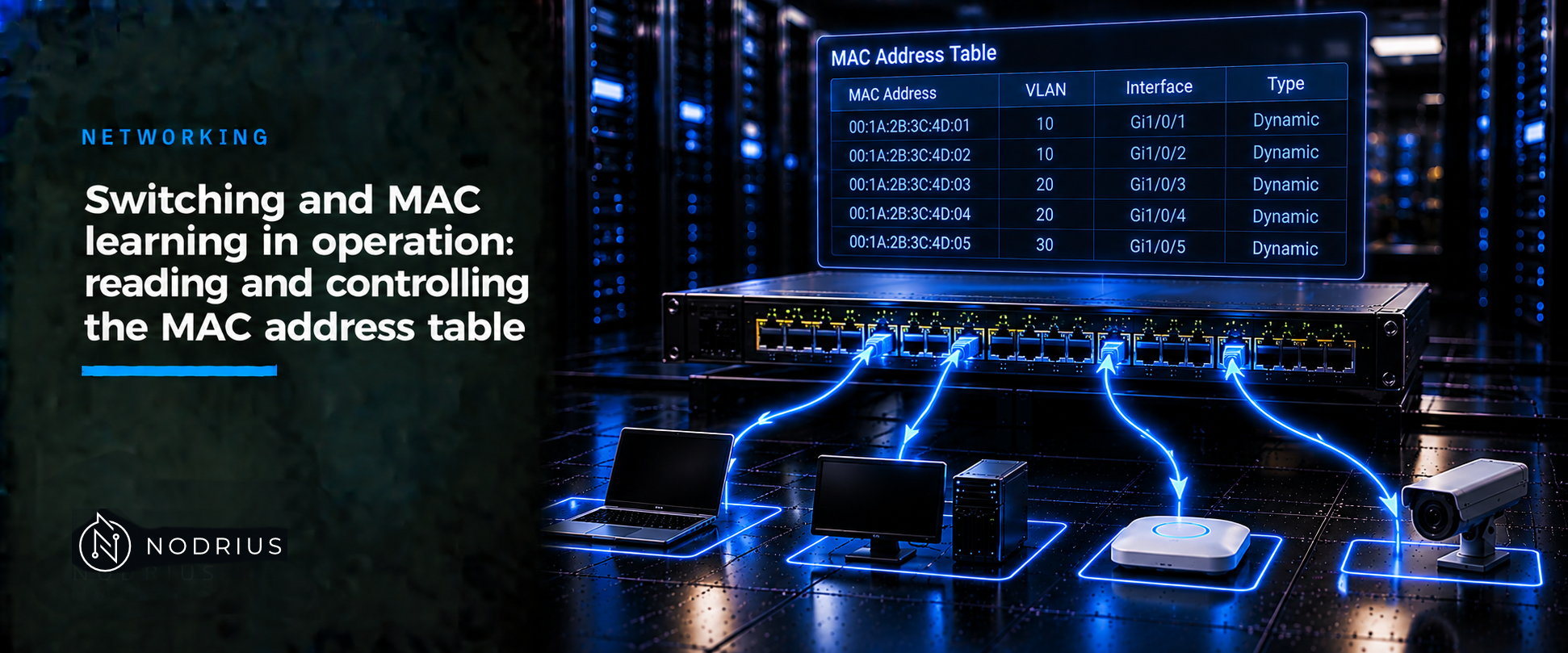
On a switch you rarely configure forwarding: a Cisco IOS-XE switch learns MAC addresses by itself, and the operational skill is reading what it learned. The MAC address table maps a MAC (Media Access Control) address inside a VLAN to the port it was last seen on. An entry is either dynamic — learned and aged out when the source goes quiet — or static — entered by hand and never aged. Reading it shows where an address was last seen.
The model: a live map, per switch and per VLAN
The mechanism belongs to the L1 sheet and is not repeated here: the switch learns from the source address of every frame and forwards by the destination. What this sheet adds is the resulting table. It is not a routing table or a map of the physical network: it records the direction each address was last heard from, on this switch, in this VLAN. Two switches keep two partial tables, and a device that has just moved may still be listed behind its old port until the entry ages or is refreshed.
one entry:  { MAC address | VLAN | port }  ->  type: dynamic or static

dynamic entry
  frame from that source seen again   -> refresh timer (stays known)
  no frame for the aging time         -> removed            (aged out)
  default aging: 300 s (global, applied per VLAN)

static entry
  configured by hand                  -> never aged, survives reload
  same MAC configured elsewhere       -> moves, not duplicated

forwarding (unchanged from L1)
  destination known on another port   -> one port
  destination unknown / broadcast     -> flooded in the VLAN
Terminology
MAC address table — also the forwarding table or FDB: the per-VLAN map of address to port. Dynamic entry — learned and aged. Static entry — manual, never aged. Aging — removing a dynamic entry after it stays silent. Flooding — sending a frame out every port in the VLAN except the arrival port. MAC move (flap) — the same address on a different port.
The mechanism, step by step
- Learn. Every frame carries a source MAC. The switch records {source MAC, ingress VLAN, ingress port} as a dynamic entry and refreshes an existing one’s timer.
- Store one table per VLAN. The same address can sit behind port 3 in VLAN 10 and port 7 in VLAN 20. An address known in one VLAN is unknown in another until learned or configured there.
- Age it out. Aging is global but applied per VLAN: after the aging time with no frame from that address, the dynamic entry is removed. Cisco documents the default as 300 seconds and a range of 10 to 1,000,000; 0 disables aging. Static entries are never aged (spanning tree can accelerate aging on a topology change).
- Read it.
show mac address-tablelists entries with their VLAN, type and port;show mac address-table addressanswers where an address is seen;show mac address-table staticshows only the manual ones. Read the port as the direction traffic last arrived from, not a physical position. - Control it. Add a fixed mapping or a drop entry; change how long dynamic entries live; remove learned entries; and, only with care, disable learning on a VLAN.
The commands, and what each one does
Warnings first. clear mac address-table dynamic deletes what the switch learned, so traffic to those addresses is flooded until it is relearned — brief but real, and not for tidying up. Disabling learning on a VLAN is more serious: Cisco documents that on a VLAN with more than two ports, or one with an SVI, every packet entering it is flooded in the Layer 2 domain. It is meant for two-port VLANs, not as a general control. Aging set to 0 never frees stale entries.
! 1. read what the switch has learned
show mac address-table
show mac address-table address <mac-address>
show mac address-table static
show mac address-table aging-time

! 2. add a fixed (static) entry, or drop a specific unicast address
mac address-table static <mac-address> vlan <vlan-id> interface <interface-id>
mac address-table static <mac-address> vlan <vlan-id> drop

! 3. change the aging time of dynamic entries (global config; default 300 s)
mac address-table aging-time <seconds> [vlan <vlan-id>]

! 4. remove learned entries (privileged EXEC; causes brief flooding)
clear mac address-table dynamic
clear mac address-table dynamic address <mac-address>
clear mac address-table dynamic interface <interface-id>
clear mac address-table dynamic vlan <vlan-id>

! 5. disable learning on a VLAN (flooding risk; see warning above)
no mac address-table learning vlan <vlan-id>
In the output, read the VLAN, the address, the type and the port. A static line for the switch’s switched virtual interface is normal. A destination missing from an expected VLAN is a learning or flood question, not a routing one.
Limits and the common error
The table shows where an address was last seen, not where the device is. A MAC address is local to one link and rewritten at every hop, so each switch’s map is partial; two switches disagreeing is normal — a workstation can appear behind an uplink. Capacity is the second limit: a loop the spanning-tree instance did not block makes the same addresses jump between ports — MAC moves — and can exhaust the table. A flapping table is a symptom to diagnose (the STP sheet’s subject), not a fault in the table. Cisco offers traps on change, move and threshold, so a table can be watched without polling it.
The common error is treating the table as a topology or a security control. It is neither: it is a cache rebuilt from traffic, and it proves nothing about identity. A MAC address is set in software — RFC 7042 treats a Local-bit address as one under the administrator’s control — so any host can claim another.
Level and prerequisites. L2 — operational. It presupposes the L1 sheet on learning and forwarding (Ethernet frames and MAC tables) and what unicast, broadcast and multicast mean. It names, but does not re-teach, VLANs and 802.1Q (a sibling L2 sheet), and refers to spanning tree rather than developing loops.
Where to go next
- Networking — the area this sheet belongs to.
References
- IEEE Std 802.1D-2004 — Media Access Control (MAC) Bridges (standard; full text not freely available; superseded by IEEE 802.1Q-2014).
- RFC 7042 — IANA/IETF and IEEE 802 parameters; the Group and Local bits of a MAC address (BCP 141).
- Cisco — System Management Configuration Guide, Cisco IOS XE (Catalyst 9300): Administering the Device, the MAC address table and its management.
- Cisco — Command Reference, Cisco IOS XE (Catalyst 9300): the switch commands used above.
- Cisco support documentation — Troubleshoot MAC Address Table Manager on Catalyst 9000 Switches.