
VLANs and 802.1Q tagging: how one link carries many networks
How IEEE 802.1Q lets a single link carry many VLANs — the 4-byte tag, access and trunk ports, and the native VLAN.
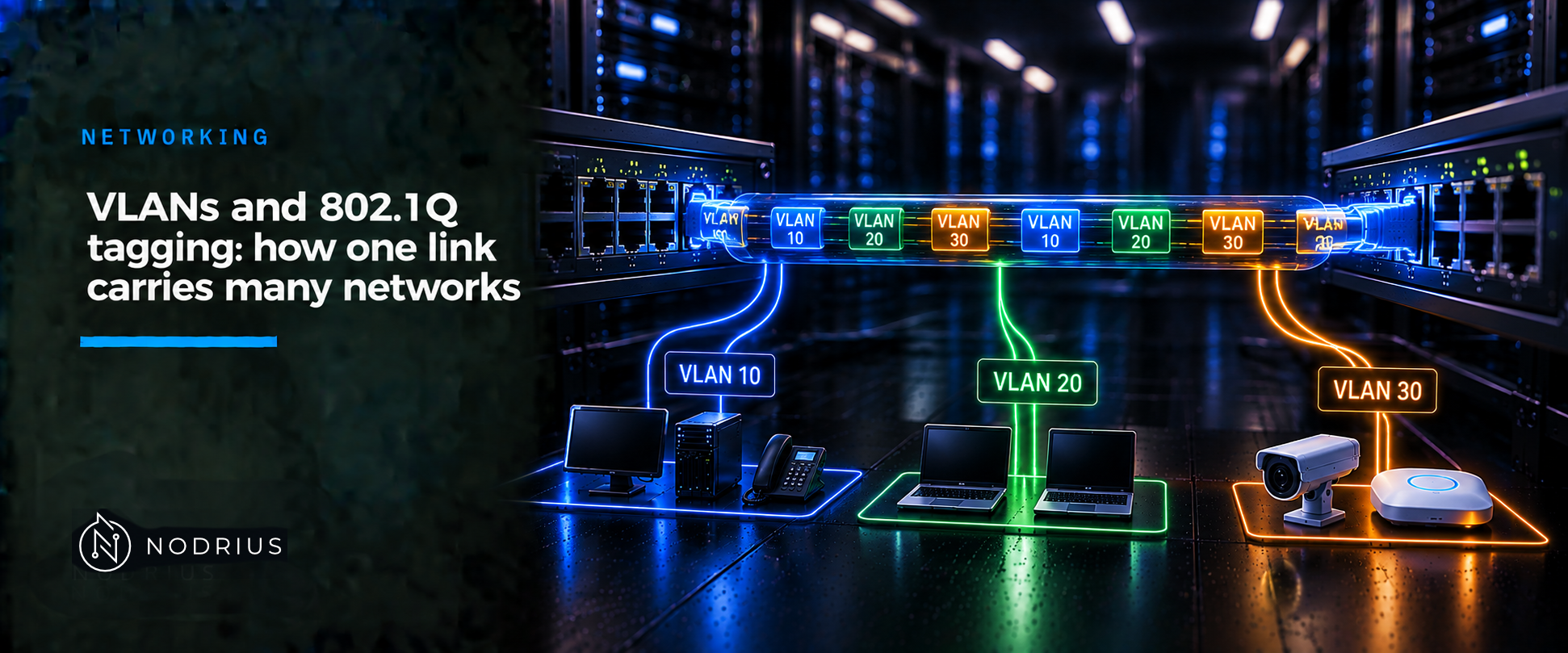
A VLAN (Virtual LAN) is a broadcast domain a switch builds in software: a set of ports whose traffic stays together and is flooded only among themselves. IEEE 802.1Q lets one physical link carry several VLANs at once by inserting a 4-byte tag into each frame to name its VLAN. An access port belongs to one VLAN and passes frames untagged; a trunk port carries many VLANs tagged, with one exception — the native VLAN, which stays untagged. Reading the tag, and keeping the native VLAN consistent at both ends of a trunk, is most of the operational work.
The mental model
   access port                                          trunk (one link)                       access port
   (untagged)                                                                                  (untagged)

   VLAN 10                                        ┌── 802.1Q tag: VLAN 10 ──┐                 VLAN 10
   PC1 ────────────┐                              │                          │                 ┌─── PC3
                   ├── switch A ─────────────────┤  802.1Q tag: VLAN 20     ├── switch B ────┤
   VLAN 20 ────────┘                              │                          │                 └─── PC4
                                                  └── native VLAN 99: no tag ┘                 VLAN 20

   inside the switch each frame is in exactly one VLAN;
   on the trunk the tag names that VLAN, except for the native VLAN.
One rule governs the rest: a switch decides a frame’s VLAN from where the frame entered — the access port it arrived on, or the tag it carries on a trunk. Inside the switch the frame is in exactly one VLAN and is forwarded only to ports that are members of that VLAN. At the exit an access port sends it untagged, a trunk port adds the 802.1Q tag — unless the frame is in the native VLAN, which is sent untagged by design.
Terminology
- VLAN (Virtual LAN) — a logical broadcast domain, local to a Layer-2 network, identified by a number.
- Access port — a switch port assigned to one VLAN; frames enter and leave it without a tag.
- Trunk port — a switch port that carries the frames of many VLANs over one link, normally tagged.
- 802.1Q tag — 4 bytes between the source MAC (Media Access Control) address and the Type/Length field: a 16-bit TPID (Tag Protocol Identifier, 0x8100), a 3-bit priority (PCP, priority code point), a 1-bit DEI (Drop Eligible Indicator, formerly CFI), and the 12-bit VLAN ID.
- Native VLAN — the one VLAN a trunk carries untagged; VLAN 1 by default on Cisco switches. Untagged frames received on a trunk are placed in it.
How tagging works, step by step
- A frame arrives on an access port in VLAN 10. It carries no tag; the port is the whole context.
- The switch assigns it to VLAN 10 and forwards it only to other VLAN 10 ports.
- To cross a trunk, the switch inserts the 4-byte tag — TPID 0x8100 plus VLAN ID 10 — between the source MAC address and the Type/Length field, and recomputes the frame check sequence.
- The switch at the far end reads the tag, places the frame in VLAN 10, and strips the tag before sending it out an access port.
- The native VLAN is the exception: its frames leave the trunk untagged, and untagged frames arriving on the trunk are placed in it. Both ends must use the same native VLAN, or the two VLANs are merged.
The tag adds 4 bytes, so the maximum Ethernet frame grows from 1518 to 1522 bytes — a size some equipment reports as a “baby giant”.
Configuration (Cisco IOS-XE reference)
! Reference platform: Cisco IOS-XE (Catalyst 9000). Concepts are portable; this syntax is not.
vlan 10
 name USERS
!
interface GigabitEthernet1/0/1
 switchport
 switchport mode access
 switchport access vlan 10
!
interface GigabitEthernet1/0/24
 switchport mode trunk
 switchport trunk native vlan 99
 switchport trunk allowed vlan 10,20,99
On current IOS-XE Catalyst switches, 802.1Q is the only trunk encapsulation, so no encapsulation command is required; older platforms used one to choose between ISL and 802.1Q. A trunk allows every VLAN ID from 1 to 4094 by default, so switchport trunk allowed vlan is how you narrow it.
Warning. Changing the access VLAN of a live port, changing the native VLAN on only one end of a trunk, or enabling vlan dot1q tag native on one end only will interrupt or misdirect traffic. Make matching changes at both ends, out of hours, and expect a brief outage.
Verify by inspection, not by the configuration you typed. show vlan brief lists each VLAN and its member ports, so you can confirm VLAN 10 holds the intended access ports. show interfaces trunk lists every trunk port with its mode, encapsulation, status and native VLAN. show interfaces GigabitEthernet1/0/24 switchport shows one port’s mode and its access or native VLAN. Compare the native VLAN at both ends of every trunk.
Limits and common errors
- Native VLAN mismatch. If the two ends disagree, an untagged frame sent in one VLAN is received in another: the two VLANs are merged, and Cisco documents that this can cause spanning-tree loops. Keep the native VLAN identical.
- Tagging is not a security boundary. The untagged native VLAN enables double-tagging VLAN hopping. Moving it off VLAN 1 helps;
vlan dot1q tag nativeforces the native VLAN to be tagged and drops untagged frames. Treat both as hardening, not as proof of isolation. - 4094 is the practical ceiling. The VLAN ID field holds 0–4095; Cisco uses 1–4094 for configurable VLANs. VLANs do not cross a Layer-3 boundary on their own.
Level and prerequisites
L2 — operational. It presupposes the L1 sheets it builds on: Ethernet frames and MAC tables, unicast, broadcast, multicast and broadcast domains, and IPv4/IPv6 prefixes and gateways. No routing configuration is assumed.
Where to go next
- Networking — the area this sheet belongs to.
References
- IEEE 802.1Q-2022 — Bridges and Bridged Networks: the 802.1Q tag and VLAN Bridges. Text behind the IEEE purchase/subscription path; not read for this draft.
- IEEE 802.3ac-1998 — amendment that extended the maximum Ethernet frame to 1522 bytes for tagged frames. Text behind the purchase path; not read for this draft.
- Cisco — Inter-Switch Link and IEEE 802.1Q Frame Format (Document ID 17056).
- Cisco — VLAN Configuration Guide, Cisco IOS XE 17.17.x (Catalyst 9300): Configuring VLAN Trunks.
- Cisco — VLAN Configuration Guide, Cisco IOS XE 17.18.x (Catalyst 9300): Configuring VLANs.
- Cisco — Command Reference, Cisco IOS XE 17.18.x (Catalyst 9200): VLAN Commands.
- Cisco — Cisco Nexus 5000 Series NX-OS Layer 2 Switching Configuration Guide: Configuring Access and Trunk Interfaces.
- Cisco — Troubleshooting Baby Giant/Jumbo Frames in Catalyst 4000/4500 (support document 29805): 802.1Q trunking produces 1522-byte frames, counted as “baby giants”.
- RFC 9542 / BCP 141 — IANA Considerations and IETF Protocol and Documentation Usage for IEEE 802 Parameters.
- IANA — IEEE 802 Numbers registry: lists EtherType 0x8100 as “Customer VLAN Tag Type (C-Tag, formerly called the Q-Tag)”; EtherTypes are assigned by the IEEE Registration Authority, not by IANA.